Passwords alone are no longer enough to secure digital identities. Credential stuffing, phishing campaigns, and brute-force attacks make single-factor authentication a critical vulnerability for personal and enterprise systems alike. Implementing robust two factor authentication 2fa security guide protocols is the single most effective baseline defense against unauthorized account access.
This guide explores the underlying mechanics of modern multi-factor systems, details why legacy SMS methods fail, evaluates the best authenticator applications, and provides architectural best practices for securing your digital footprint.
The Core Mechanics of Two-Factor Authentication
Two-factor authentication adds an extra layer of security beyond a username and password. By requiring two distinct factors of verification, systems mitigate the risk of compromise even if a primary password is leaked in a data breach.
The Three Authentication Factors
- Knowledge Factor: Something you know, such as a password, passphrase, or PIN.
- Possession Factor: Something you have, such as a hardware security key, a smartphone, or a time-based token generator.
- Inherence Factor: Something you are, such as a biometric identifier like a fingerprint or facial scan.
True 2FA requires combining two different categories. Entering two distinct passwords still constitutes single-factor authentication (knowledge-plus-knowledge).
Why You Must Avoid SMS-Based 2FA
While Short Message Service (SMS) verification codes are ubiquitous, they represent a severely flawed security paradigm. Relying on SMS for high-value accounts exposes users to sophisticated telecommunication exploits.
Vulnerabilities of SMS Authentication
- SIM Swapping (Port-Out Scams): Attackers use social engineering or insider threats to convince a cellular carrier to transfer a victim’s phone number to a malicious SIM card, instantly intercepting all incoming 2FA text messages.
- SS7 Vulnerabilities: The signaling system governing global telecommunications contains inherent architectural flaws that allow sophisticated actors to intercept or reroute SMS traffic globally.
- Insecure Transmission: Cellular text messages are transmitted unencrypted over telecom networks, making them susceptible to interception via rogue cell towers (IMSI catchers).
Because of these fundamental structural flaws, cybersecurity standards bodies and regulatory agencies increasingly deprecate SMS as a secure verification method.
Superior 2FA Methods and Standards
To achieve true defense-in-depth, security architects and privacy-conscious users should prioritize cryptographic and application-based tokens.
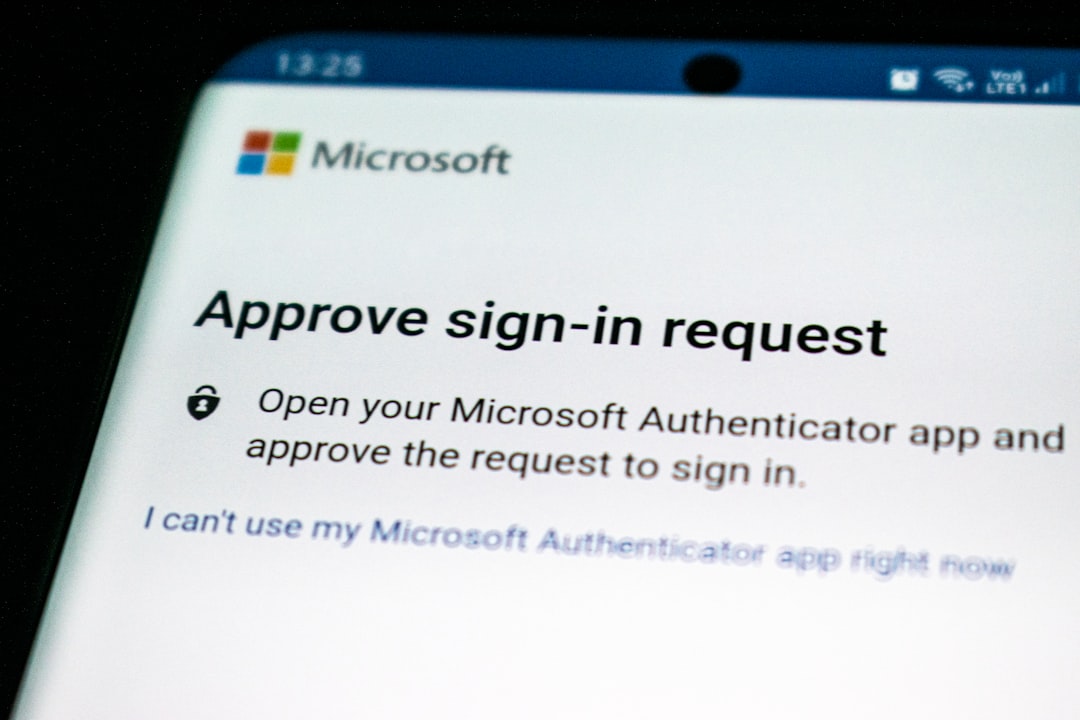
Time-Based One-Time Passwords (TOTP)
Standardized under RFC 6238, TOTP algorithms generate a unique six-digit code every thirty seconds. The generation relies on a shared cryptographic secret key stored securely on the user’s device and the server, combined with the current Unix timestamp:
TOTP = Truncate(HMAC-SHA1(SecretKey, TimeStep))Because TOTP apps do not require cellular connectivity, they cannot be intercepted via telecom vulnerabilities.
Hardware Security Keys (FIDO2 / WebAuthn)
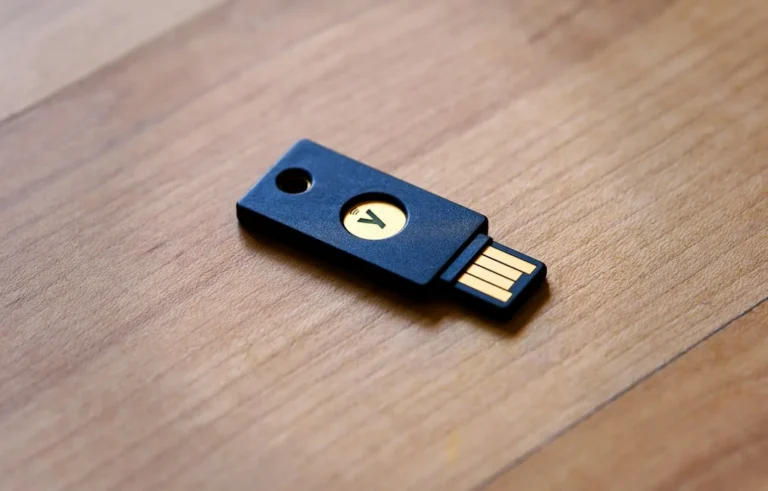
Hardware tokens utilizing the FIDO2 and WebAuthn standards represent the gold standard of authentication. These physical USB, NFC, or Bluetooth devices use public-key cryptography.
- During account registration, the hardware key generates a unique public/private key pair specifically for that domain.
- The private key never leaves the secure physical hardware.
- When logging in, the server issues a cryptographic challenge that only the physical key can sign, completely eliminating vulnerability to phishing sites.
Evaluating the Best 2FA Apps
Selecting an authenticator application requires balancing security, cross-platform availability, and backup capabilities. The top-tier applications include:
- Bitwarden / 1Password: Ideal for users who want password management and encrypted TOTP generation bundled into a single zero-knowledge ecosystem with cloud synchronization.
- Aegis Authenticator (Android): An open-source, highly secure app featuring local encrypted backups, biometric locking, and robust export capabilities.
- Ente Auth: A privacy-focused, open-source authenticator featuring end-to-end encrypted cloud synchronization, making it cross-platform friendly without sacrificing security.
- Yubico Authenticator: Designed for users pairing software tokens with physical YubiKeys, storing the TOTP seed directly on the hardware security key for maximum physical security.
Frequently Asked Questions
What happens if I lose my phone with my 2FA app installed?
If you lose your device, you can restore access using the backup codes provided by the service during setup, or by restoring your authenticator app from an encrypted cloud backup or local export file. This highlights the vital importance of securely storing backup recovery codes offline.
Are hardware keys better than authenticator apps?
Yes. While authenticator apps (TOTP) are vastly superior to SMS, they remain vulnerable to sophisticated adversary-in-the-middle (AitM) phishing attacks. Hardware security keys use cryptographic challenge-response mechanisms tied directly to the domain URL, making phishing mathematically impossible.
Should I use SMS if no other option is available?
If a service exclusively offers SMS 2FA, it is still marginally better than having no secondary authentication enabled at all against automated credential stuffing bots. However, you should pressure the platform to adopt modern standards like TOTP or WebAuthn.
Conclusion and Next Steps
Securing your digital accounts requires shifting away from legacy telecommunication dependencies and embracing cryptographic standards. By eliminating SMS verification, adopting open-source TOTP applications, and transitioning toward hardware security keys, you drastically reduce your exposure to account takeover.
Audit your critical accounts today: disable SMS-based verification where possible, migrate to an end-to-end encrypted authenticator app, and securely store your emergency backup codes.
Recommended Hardware for Security & Privacy
Zero-trust physical keys, encrypted offline storage, and privacy shields recommended by IT pros.

YubiKey 5 NFC Hardware Security Key
FIDO2 and WebAuthn certified. Provides unbreakable phishing-proof two-factor authentication for password managers and cloud accounts.
Apricorn / Kingston Encrypted USB Flash Drive
Hardware-based AES-256 encryption with physical keypad PIN. Keeps your password database and private keys physically secure.
Ultra-Thin Webcam Privacy Cover Sliders (6-Pack)
Micro 0.027-inch sliding shutter. Mechanically prevents camera snooping and accidental video leaks on laptops and monitors.
Mission Darkness Faraday Signal Blocking Bag
Military-grade RF shielding. Instantly blocks cellular 5G, GPS tracking, Wi-Fi, Bluetooth, and RFID signals from your phone.
Disclosure: BriteHacks is reader-supported. When you buy through links on our site or deploy infrastructure, we may earn an affiliate commission at no extra cost to you. As an Amazon Associate, we earn from qualifying purchases.