In an era defined by sophisticated credential stuffing, spear-phishing campaigns, and real-time adversary-in-the-middle (AiTM) attacks, traditional multi-factor authentication (MFA) methods like SMS text messages and time-based one-time passwords (TOTP) are no longer sufficient. These legacy protocols share a fatal flaw: they can be intercepted, bypassed, or manipulated via social engineering. Enter hardware security keys—with the YubiKey widely acknowledged as the gold standard for robust account protection.
Understanding the Threat Landscape: Why Legacy MFA Fails
Before examining hardware solutions, it is essential to understand why standard MFA mechanisms leave accounts vulnerable. SMS-based verification codes are susceptible to SIM-swapping attacks, where malicious actors hijack a victim’s cellular service to intercept authentication tokens. Similarly, software-based TOTP authenticators generate codes based on a shared secret stored on a smartphone. If malware infects the device or a user falls victim to a phishing site, those secrets—and the resulting codes—are compromised instantly.
Phishing-resistant authentication changes this dynamic entirely by relying on cryptographic challenge-response protocols that verify not only the user’s identity but also the authenticity of the website or application requesting access.
How Hardware Security Keys Work
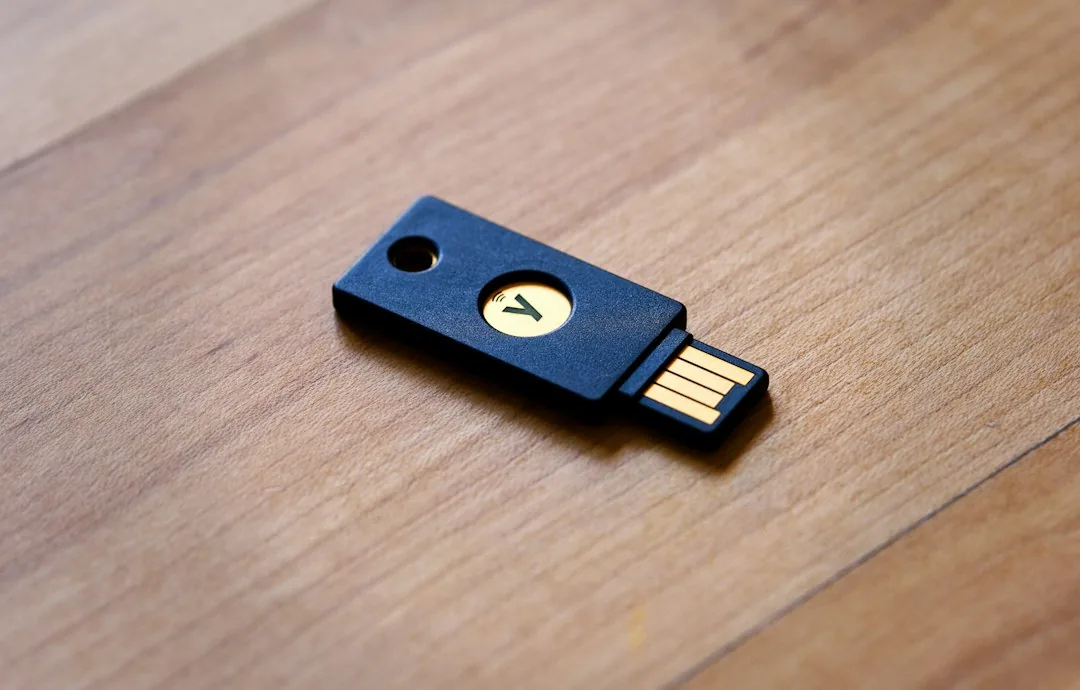
A hardware security key is a physical device—typically designed to fit on a keychain or plug into a USB port—that stores unique cryptographic key pairs. When you attempt to log into a supporting service, the following sequence occurs:
- The Challenge: The authentication server sends a unique, cryptographically random challenge to your browser.
- The Verification: Your browser passes this challenge to the security key. For security keys that require physical interaction, you must touch the gold contacts or press a button.
- The Signature: The key signs the challenge using the private key securely stored within its tamper-resistant hardware element, utilizing protocols like FIDO2 or WebAuthn.
- The signed challenge is sent back to the server, which validates it using your registered public key.
Crucially, the private key never leaves the physical device. This makes it mathematically impossible for a phishing site to harvest your credentials, because the key verifies the exact domain name (origin) before signing the challenge. If you are on a malicious clone site (e.g., g00gle.com instead of google.com), the hardware key refuses to participate.
Why YubiKey Remains the Gold Standard
While various hardware keys exist on the market, YubiKey by Yubico has earned its reputation as the industry leader for several core technical reasons:
- Protocol Versatility: Modern YubiKeys support multiple open standards simultaneously, including FIDO2, WebAuthn, U2F, PIV (Smart Card), OpenPGP, and OATH-TOTP. This ensures compatibility with everything from consumer cloud accounts to enterprise Active Directory domains.
- Durability and Form Factor: Engineered to be crush-resistant, waterproof, and battery-free, YubiKeys require no charging or wireless pairing, minimizing potential attack vectors like Bluetooth sniffing.
- Hardware-Rooted Trust: The device architecture utilizes secure microprocessors designed to withstand physical extraction and side-channel attacks, protecting private keys even if the physical device is briefly misplaced.
Implementing YubiKey Security in Practice
Deploying hardware security keys requires a thoughtful approach to account recovery and redundancy. Because a lost key cannot be replicated, security best practices dictate registering at least two hardware keys per account: a primary key for daily use and a secondary backup key stored securely off-site.
For system administrators and developers managing Linux environments or SSH access, hardware keys can replace traditional SSH keys via FIDO2 integration. For example, generating a resident FIDO2 SSH key can be executed via terminal commands:
ssh-keygen -t ed25519-sk -N "" -C "user@system"Executing this command prompts the user to insert their hardware security key and touch the sensor, binding the resulting SSH credential strictly to that physical device.
Frequently Asked Questions
What happens if I lose my YubiKey?
If you lose your primary hardware key, you can access your accounts using your pre-registered backup security key or alternative account recovery methods (such as emergency backup codes). It is vital to revoke access for the lost key immediately through the security settings of your affected service providers.
Can a YubiKey be tracked or used to monitor my online activity?
No. YubiKeys do not track your location, and they do not share a global identifier across different websites. Each service you register with receives a unique, privacy-preserving cryptographic pair, preventing cross-site tracking.
Do YubiKeys require batteries or software drivers?
No. YubiKeys are powered entirely by the USB port or via NFC induction when tapped against a mobile device. They operate as standard USB Human Interface Devices (HID) or smart cards, requiring no proprietary software drivers for core authentication functions.
Conclusion
As cyber threats continue to evolve, moving away from vulnerable, secret-based authentication is no longer optional for security-conscious individuals and organizations. Hardware security keys offer the ultimate defense against remote credential theft and targeted phishing campaigns. By investing in a YubiKey and establishing a robust multi-key redundancy strategy, you lock down your digital identity with military-grade cryptography. Ready to elevate your security posture? Audit your critical online accounts today and transition your MFA workflows to hardware-backed FIDO2 standards.
Recommended Hardware for Security & Privacy
Zero-trust physical keys, encrypted offline storage, and privacy shields recommended by IT pros.

YubiKey 5 NFC Hardware Security Key
FIDO2 and WebAuthn certified. Provides unbreakable phishing-proof two-factor authentication for password managers and cloud accounts.
Apricorn / Kingston Encrypted USB Flash Drive
Hardware-based AES-256 encryption with physical keypad PIN. Keeps your password database and private keys physically secure.
Ultra-Thin Webcam Privacy Cover Sliders (6-Pack)
Micro 0.027-inch sliding shutter. Mechanically prevents camera snooping and accidental video leaks on laptops and monitors.
Mission Darkness Faraday Signal Blocking Bag
Military-grade RF shielding. Instantly blocks cellular 5G, GPS tracking, Wi-Fi, Bluetooth, and RFID signals from your phone.
Disclosure: BriteHacks is reader-supported. When you buy through links on our site or deploy infrastructure, we may earn an affiliate commission at no extra cost to you. As an Amazon Associate, we earn from qualifying purchases.