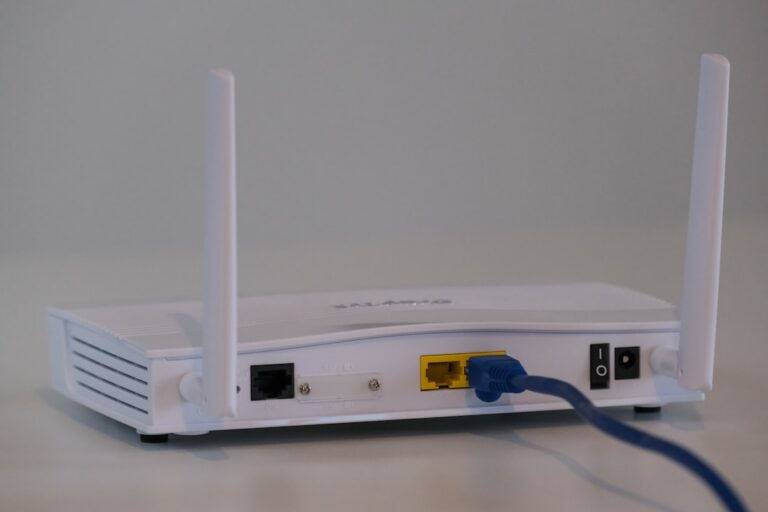
Wireless networking has become the invisible backbone of modern infrastructure, supporting everything from low-power Internet of Things (IoT) sensors to high-throughput enterprise video conferencing. However, as the density of wireless devices grows, understanding the physical layer of your network—specifically wireless frequencies and channel allocation—is essential for maintaining reliable performance.
When optimizing a wireless deployment, network administrators and tech-savvy homeowners frequently weigh the trade-offs of wifi channels 2.4 vs 5 vs 6 ghz. Each frequency band operates under different physical constraints, offering distinct advantages in terms of coverage, interference resistance, and raw throughput.
The Fundamentals of Wireless Frequencies
To understand why different Wi-Fi bands behave the way they do, it helps to look at the physics of radio waves. Electromagnetic radiation operates on an inverse relationship between frequency and wavelength:
- Lower frequencies (e.g., 2.4 GHz) feature longer wavelengths. These waves bend easily around obstacles, penetrate thick walls, and travel over greater distances, but they carry less data.
- Higher frequencies (e.g., 5 GHz and 6 GHz) feature shorter wavelengths. They deliver massive data capacity and faster speeds, but they struggle to penetrate dense building materials and degrade rapidly over distance.
Deep Dive: The 2.4 GHz Band
The 2.4 GHz band is the veteran workhorse of wireless networking. It is supported by virtually every Wi-Fi-enabled device ever manufactured, making it indispensable for legacy hardware and smart home appliances that require broad compatibility.
Characteristics and Limitations
While the 2.4 GHz band excels at range and wall penetration, it suffers from a severe architectural bottleneck: extreme congestion. The entire band spans a narrow spectrum of only about 100 MHz, divided into 11 or 13 channels (depending on regional regulatory domains such as FCC or ETSI).
Crucially, standard Wi-Fi channels require 20 MHz of bandwidth. This means only three non-overlapping channels exist in the 2.4 GHz spectrum: 1, 6, and 11. When multiple routers or access points use overlapping channels, they compete for airtime, causing packet loss, latency spikes, and severe co-channel interference. Furthermore, the 2.4 GHz band shares airspace with non-Wi-Fi devices such as Bluetooth peripherals, microwave ovens, and baby monitors.
Deep Dive: The 5 GHz Band
Introduced to alleviate the congestion plaguing the 2.4 GHz band, the 5 GHz spectrum represents a massive leap forward in capacity. It offers a significantly wider frequency range, allowing access points to transmit data at much higher modulation rates.
Characteristics and Advantages
The 5 GHz band supports significantly more channels than its predecessor. Because of this wider available spectrum, routers can bond multiple 20 MHz channels together to form 40 MHz, 80 MHz, or even 160 MHz wide channels. This channel bonding drastically increases throughput for bandwidth-intensive tasks like 4K streaming and large file transfers.
However, physics dictates a trade-off: 5 GHz signals attenuate much faster over distance and are easily attenuated by concrete, brick, and plaster. Consequently, a 5 GHz deployment often requires a higher density of access points to achieve uniform coverage throughout a building.
Deep Dive: The 6 GHz Band (Wi-Fi 6E and Wi-Fi 7)
The 6 GHz band represents the most significant expansion of Wi-Fi capacity in decades. Opened by regulatory bodies like the FCC for unlicensed use, this band stretches from 5.925 GHz up to 7.125 GHz, instantly adding up to 1,200 MHz of contiguous spectrum.
Why 6 GHz Changes the Game
Operating under Wi-Fi 6E and newer Wi-Fi 7 standards, the 6 GHz band is completely devoid of legacy interference. Because older devices (running Wi-Fi 5 or earlier) cannot physically tune into these frequencies, the band is reserved exclusively for compatible hardware.
The sheer width of the 6 GHz spectrum allows for up to seven 160 MHz channels or fourteen 80 MHz channels without overlapping. This abundance of clean spectrum eliminates channel contention in high-density environments like corporate offices, apartment complexes, and crowded public venues. The primary limitation of 6 GHz is range; high-frequency signals degrade even faster than 5 GHz, making line-of-sight or close proximity to the access point ideal.
Comparative Breakdown
- 2.4 GHz: Best for long-range coverage, smart home IoT devices, and basic web browsing. Low speed, high interference.
- 5 GHz: Best for balanced range and speed, online gaming, and media streaming in medium-sized spaces. Moderate speed and congestion.
- 6 GHz: Best for ultra-high-speed, low-latency applications (VR, massive data syncs) in close proximity to the router. High speed, zero legacy interference, shorter range.
Best Practices for Network Configuration
To maximize wireless performance, implement these foundational deployment rules:
- Steer IoT to 2.4 GHz: Keep low-bandwidth smart devices isolated on the 2.4 GHz band to keep the faster bands clean.
- Utilize Band Steering or Separate SSIDs: Modern mesh systems use band steering to automatically place devices on the optimal frequency based on signal quality. Alternatively, manually name SSIDs if you prefer strict control.
- Optimize Channel Width: On the 2.4 GHz band, always stick strictly to 20 MHz channels (1, 6, or 11). On 5 GHz and 6 GHz, use wider channels (80 MHz or 160 MHz) only if surrounding interference is low.
Frequently Asked Questions
Should I separate my Wi-Fi bands into different names?
Separating SSIDs gives you absolute manual control over which device connects to which frequency, which is helpful for troubleshooting or pinning fixed IoT devices to 2.4 GHz. However, modern band steering algorithms built into modern routers usually handle multi-band balancing efficiently without user intervention.
Does 6 GHz penetrate walls well?
No. Higher radio frequencies have shorter wavelengths, which struggle to pass through solid obstacles like concrete, brick, metal, and thick drywall. 6 GHz performs best when devices maintain a clear line of sight to the access point or are located within the same room.
Why are my smart home devices only connecting to 2.4 GHz?
Many budget smart plugs, security cameras, and automated sensors intentionally omit 5 GHz and 6 GHz radios to save manufacturing costs and electrical power. Because 2.4 GHz offers superior range through walls, it remains the industry standard for low-bandwidth IoT hardware.
Conclusion and Next Steps
Choosing between 2.4 GHz, 5 GHz, and 6 GHz is ultimately a balance between range, interference, and speed requirements. By aligning your devices with the appropriate frequency band, you can eliminate bottlenecks and build a resilient network architecture.
Ready to audit your wireless environment? Scan your local airwaves using a Wi-Fi analyzer tool to identify congested channels, and reconfigure your access points today to unlock your network’s true potential.
Recommended Hardware for This Setup
Tested, power-efficient gear curated for 24/7 home servers, Docker containers, and local labs.

Intel N100 Mini PC (16GB RAM, 500GB SSD)
Whisper-quiet, ultra-low 6W idle power. The undisputed favorite for 24/7 Docker, Jellyfin hardware transcoding, and Proxmox.
Raspberry Pi 5 (8GB Starter Kit)
Blazing quad-core ARM performance. Ideal for dedicated Pi-hole ad-blocking, WireGuard mesh nodes, and lightweight automation.
Crucial P3 Plus 1TB/2TB PCIe 4.0 NVMe
Up to 5000MB/s speeds. Essential for high-IOPS database operations, Docker container images, and snappy Nextcloud sync.
TP-Link 8-Port Gigabit Switch (TL-SG108)
Silent fanless steel housing, plug-and-play, traffic prioritization (QoS). Essential for wiring up your Home Server, NAS, and Pi with zero Wi-Fi lag.
Disclosure: BriteHacks is reader-supported. When you buy through links on our site or deploy infrastructure, we may earn an affiliate commission at no extra cost to you. As an Amazon Associate, we earn from qualifying purchases.