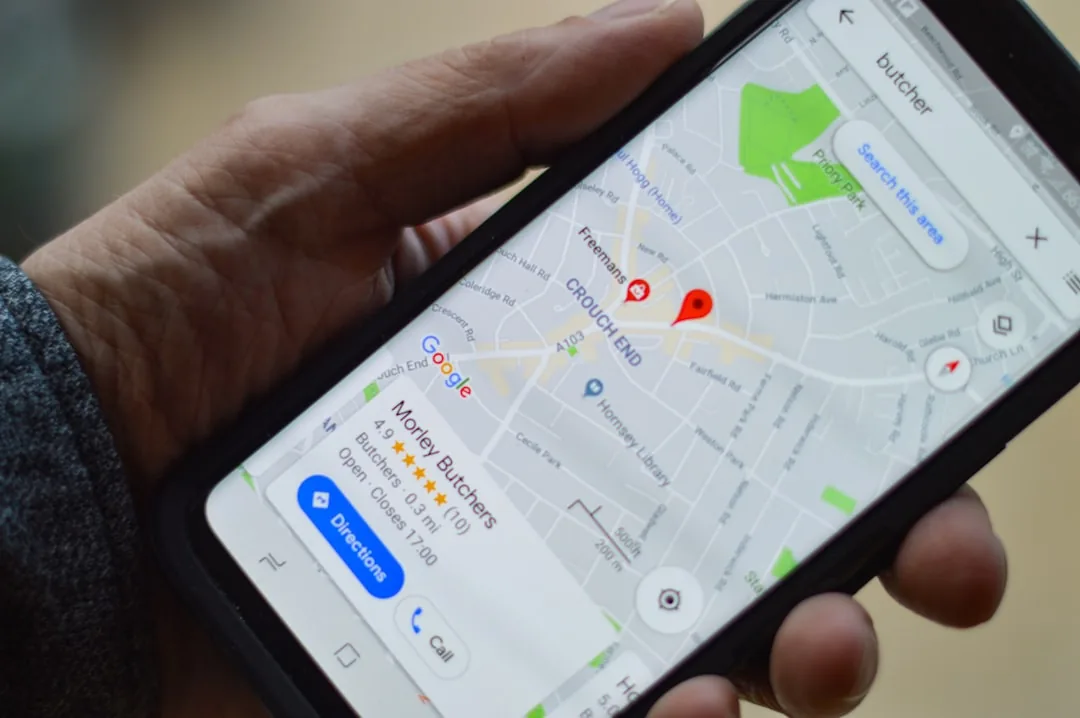
Relying on a constant cellular connection while traveling is a recipe for high roaming fees, missed turns, and extreme frustration. Whether you are trekking through remote mountain ranges, navigating the labyrinthine alleys of an ancient historic district, or simply trying to bypass congested urban traffic without burning through your cellular data allowance, having a reliable offline navigation strategy is essential. Fortunately, modern smartphones are equipped with high-sensitivity GPS chips that function independently of cellular networks. By pairing this hardware with the best offline maps gps navigation apps, you can achieve pinpoint location accuracy anywhere on Earth without a data plan.
Why You Need Dedicated Offline Navigation
Cellular towers rely on continuous line-of-sight and backhaul infrastructure that frequently fails in deep valleys, dense urban canyons, remote national parks, and international destinations where local SIM cards are difficult to acquire. Standard cloud-dependent mapping services require a live connection to render vector tiles, query points of interest, and calculate routes.
Offline navigation apps download entire regional or global datasets directly to your device storage. This shift from cloud-based rendering to local storage offers several distinct advantages:
- Zero Data Usage: Completely eliminates expensive international roaming charges and conserves your monthly mobile data cap.
- Uninterrupted Performance: Functions seamlessly in airplane mode, dead zones, and remote wilderness areas.
- Faster Route Calculation: Localized databases query your device’s internal storage instantly, often bypassing network latency delays.
- Battery Conservation: Eliminates the continuous cellular handshake required to maintain data connectivity, preserving battery life during long excursions.
Top Offline GPS Navigation Apps Compared
Choosing the right application depends heavily on your specific travel style—whether you are driving a rental car across continents, hiking rugged trails, or exploring sprawling metropolitan transit systems.
1. Maps.me: Best for Detailed Walking and Cycling Trails
Powered by OpenStreetMap (OSM) data, Maps.me is a favorite among backpackers and urban explorers alike. Because the underlying data is crowd-sourced by millions of contributors worldwide, it often features hyper-local pathways, rural footpaths, and hidden staircases that commercial mapping giants completely overlook.
- Storage Efficiency: Highly compressed vector maps allow you to download entire countries or states with minimal impact on device storage.
- Points of Interest: Exceptional database of hostels, cafes, drinking water fountains, and public restrooms.
- Best Use Case: Walking tours, hiking expeditions, and navigating dense pedestrian zones.
2. Organic Maps: The Privacy-Focused Open-Source Alternative
For travelers who prioritize data privacy and open-source software, Organic Maps serves as a stellar fork of the original Maps.me platform. It strips away all commercial trackers, advertisements, and background data harvesting while maintaining lightning-fast rendering speeds.
- Zero Tracking: Does not collect your search history, location data, or travel patterns.
- Battery Friendly: Highly optimized code consumes significantly less power than bloated proprietary apps.
- Best Use Case: Eco-conscious travelers and privacy advocates who want a clean, fast, ad-free experience.
3. Here We Go: Best for Drivers and Turn-by-Turn Transit
Originally developed by Nokia, HERE WeGo is an enterprise-grade navigation platform designed specifically with drivers and public transit commuters in mind. Its offline voice guidance and comprehensive road network databases rival those of any premium connected system.
- Robust Voice Guidance: Clear, spoken turn-by-turn directions that function entirely offline.
- Public Transit Integration: Comprehensive offline transit network blueprints for major global cities.
- Best Use Case: Road trips, car rentals, and navigating complex metropolitan highway systems.
4. Google Maps: The Convenient Hybrid Solution
While primarily a cloud-based service, Google Maps allows users to save designated rectangular areas for offline use. While it lacks advanced offline routing features for public transit and walking, it remains exceptionally convenient for everyday users who prefer not to install a secondary application.
- Familiar Interface: Zero learning curve if you already use Google Maps for daily commuting.
- Caveat: Downloaded maps expire automatically after a set period and require a periodic background data connection to update.
- Best Use Case: Casual travelers looking for a quick, temporary offline fallback.
Best Practices for Offline Navigation Success
To ensure your journey goes off without a hitch, follow these technical best practices before you depart:
- Download Over High-Speed Wi-Fi: Map datasets are massive files. Always download regional files over a stable broadband Wi-Fi connection prior to leaving your hotel or home.
- Test Before You Go: Enable airplane mode while still in a familiar area and attempt to calculate a route to verify that your downloaded regions are functional.
- Calibrate Your GPS Compass: Perform a standard figure-eight motion with your phone to calibrate the internal magnetometer before embarking on remote hikes.
- Carry Backup Power: GPS chips draw significant power. Always pack a high-capacity portable power bank for extended off-grid travel.
Frequently Asked Questions
Do I need a SIM card or cellular signal for GPS to work?
No. Modern smartphones utilize dedicated hardware GPS chips that receive radio signals directly from navigation satellites orbiting the Earth. As long as you have downloaded the map data beforehand, your phone can pinpoint your exact geographical coordinates without any cellular network connection or active SIM card.
How much storage space do offline maps require?
Storage requirements vary based on the app and geographic area. Highly compressed vector apps like Organic Maps and Maps.me can store an entire US state or small European country in roughly 50MB to 200MB. Densely populated regions with intricate mapping layers will require more space, but most modern devices can easily accommodate dozens of regions simultaneously.
Can I get turn-by-turn driving directions offline?
Yes. Premium offline navigation apps such as HERE WeGo and Organic Maps calculate multi-stop driving routes and provide spoken turn-by-turn voice instructions completely offline, mirroring the functionality of a dedicated standalone dashboard GPS unit.
Conclusion
Equipping your smartphone with one of the best offline maps GPS navigation apps ensures that you remain confident, oriented, and safe anywhere in the world, regardless of cellular coverage or roaming costs. Take a few moments before your next adventure to download your destination maps, pack a portable battery charger, and enjoy true travel freedom.
Ready to upgrade your travel tech stack? Download a recommended offline mapping app today, test it in your local neighborhood, and experience stress-free navigation on your next journey.
Recommended Mobile Gear for Battery & Storage
Tested accessories to protect battery lifespan, expand device storage, and charge reliably.

Anker 30W USB-C GaN Fast Charger
Dynamic PowerIQ 3.0 delivery. Charges iPhone and Android at high speeds while keeping temperatures low to preserve battery lifespan.
SanDisk Dual Drive USB-C Flash Drive (128GB/256GB)
High-speed dual USB-C/USB-A connector. Directly offload photos, 4K videos, and system cache to free up phone storage instantly.
Anker MagGo 10,000mAh Magnetic Power Bank
Ultra-slim Qi2 certified magnetic wireless charger with a smart display. Keep your smartphone charged throughout the day.
Anker Bio-Braided USB-C Cable (2-Pack, 240W)
Lab-tested for 20,000+ bends. Prevents voltage drops and erratic currents that slowly degrade smartphone charging ports.
Disclosure: BriteHacks is reader-supported. When you buy through links on our site or deploy infrastructure, we may earn an affiliate commission at no extra cost to you. As an Amazon Associate, we earn from qualifying purchases.