A clean, noise-free desk setup is the cornerstone of a productive workspace, particularly for professionals, developers, and homelab enthusiasts who work in close proximity to their networking gear. Traditional enterprise-grade switches rely on high-RPM cooling fans to dissipate heat, generating a high-pitched whine that quickly ruins an otherwise peaceful office environment. Fortunately, modern hardware engineering has bridged the gap between enterprise capabilities and silent operation.
Investing in the best fanless gigabit managed switch homelab hardware allows you to deploy advanced networking topologies—such as VLAN segmentation, link aggregation, and Quality of Service (QoS)—without the acoustic penalty. This guide explores the engineering principles behind passive cooling, evaluates key features to look for, and outlines top recommendations for maintaining a powerful, silent network.
Why Fanless Architecture Matters for Clean Desk Setups
Passive cooling relies on heavy aluminum heatsinks and optimized chassis design to transfer thermal energy away from the switching ASIC (Application-Specific Integrated Circuit) and Power Over Ethernet (PoE) circuitry via natural convection. This approach offers several distinct advantages:
- Zero Acoustic Noise: Eliminating moving parts ensures absolute silence, making these switches ideal for desktop placement or study areas.
- Enhanced Reliability: Mechanical cooling fans are typically the first component to fail in networking hardware. Fanless designs remove this single point of failure, vastly increasing MTBF (Mean Time Between Failures).
- Reduced Dust Accumulation: Forced-air systems draw ambient dust and particulate matter inside the chassis over time. Passive designs maintain a sealed or minimally vented envelope that resists internal contamination.
Key Features to Evaluate in Managed Switches
When selecting a switch for an advanced homelab or professional workspace, do not compromise on software flexibility just to achieve silent operation. Ensure your chosen hardware supports the following networking fundamentals:
1. Layer 2+ and VLAN Support
Segmentation is vital for security and traffic isolation. Look for comprehensive IEEE 802.1Q VLAN support, allowing you to separate IoT devices, guest networks, and primary lab environments efficiently. Advanced managed switches also support static routing (Layer 3 lite) to route traffic between subnets directly at wire speed.
2. Interface Speeds: Gigabit vs. 2.5GbE
While standard Gigabit Ethernet (1000BASE-T) remains sufficient for most client devices, modern Wi-Fi 7 access points, Network Attached Storage (NAS) units, and workstation motherboards increasingly feature 2.5GBASE-T ports. Opting for a hybrid switch featuring multi-gigabit copper ports and SFP+ fiber uplinks future-proofs your infrastructure against bandwidth bottlenecks.
3. Management Interfaces: CLI, SNMP, and GUI
A true managed switch must offer granular control. Ensure the device supports an intuitive Web GUI, a Command Line Interface (CLI) via SSH, and SNMP for integration into monitoring platforms like Prometheus or LibreNMS.
# Example Cisco-style CLI snippet to configure an access VLAN on a port
configure terminal
interface GigabitEthernet 0/1
 switchport mode access
 switchport access vlan 20
 description "Homelab Isolated VLAN"
end
write memory
Popular Hardware Categories and Configurations
Fanless managed switches generally fall into three distinct physical and functional tiers:
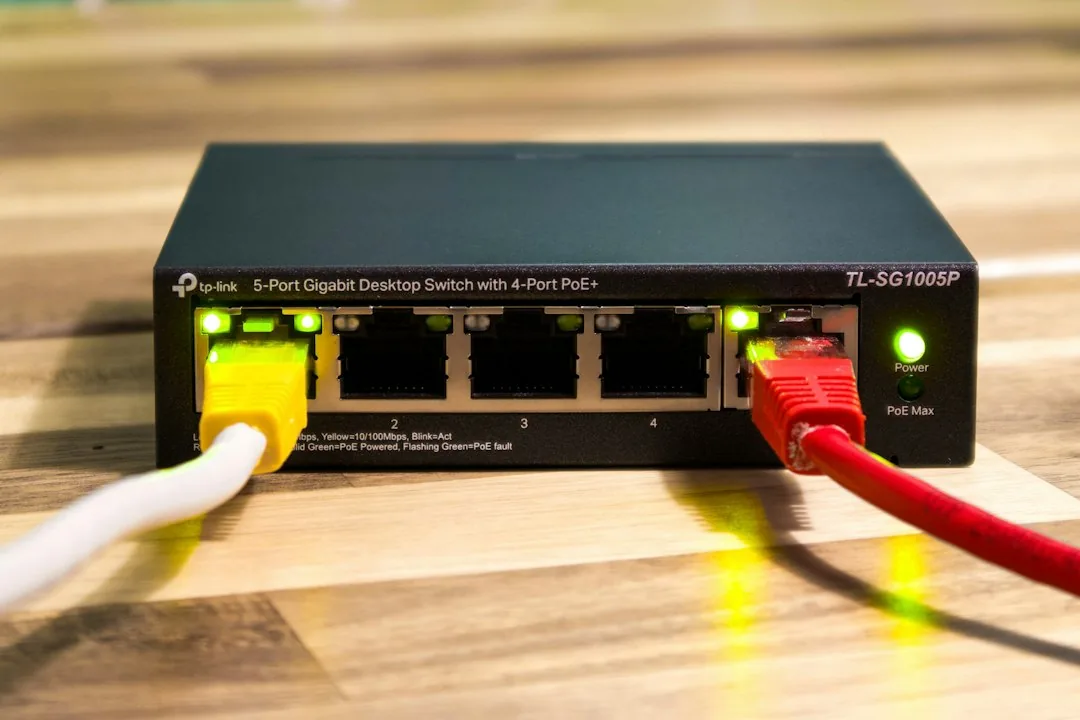
- Compact 5-to-8 Port Desktop Switches: Ideal for edge deployments, remote desks, or minimalist setups. These units often feature external power bricks to minimize internal thermal loads.
- Desktop/Rack-Convertible 16-to-24 Port Units: Designed for serious homelabs. They utilize large, finned metal chassis that act as massive heatsinks, easily handling higher port densities without internal fans.
- PoE+ Capable Passive Switches: Powering IP cameras or access points silently requires careful power budgeting. Ensure the external power supply is rated adequately for your total PoE device load.
Frequently Asked Questions
Can fanless managed switches handle heavy continuous traffic?
Yes. Enterprise-grade switching chips are designed to operate efficiently within high thermal thresholds. Manufacturers carefully calculate the thermal design power (TDP) of the ASIC to ensure stable, non-throttled performance at full line-rate across all ports simultaneously, provided the unit is placed in a reasonably ventilated area.
Do fanless switches run hot to the touch?
It is entirely normal for a passively cooled switch to feel warm or hot. Because the chassis itself functions as a heatsink, it absorbs and radiates internal heat outward. As long as the ambient room temperature is within operational limits and the unit is not tightly enclosed in a non-ventilated cabinet, this thermal dissipation is working as intended.
Is a 2.5GbE switch necessary for a standard homelab?
If you routinely transfer massive video files to a multi-drive NAS or utilize high-speed internet tiers exceeding one gigabit, a 2.5GbE switch provides a noticeable performance uplift. For standard web browsing, remote management, and virtual machine orchestration, traditional Gigabit speeds remain more than adequate.
Conclusion
Building a pristine, distraction-free workspace no longer requires sacrificing advanced network control. By choosing a robust, passively cooled managed switch, you secure enterprise-grade reliability, comprehensive VLAN segmentation, and multi-gigabit throughput in complete silence. Ready to upgrade your infrastructure? Explore our curated buyer’s guides to find the perfect silent networking hardware for your workspace today.
Recommended Hardware for This Setup
Tested, power-efficient gear curated for 24/7 home servers, Docker containers, and local labs.

Intel N100 Mini PC (16GB RAM, 500GB SSD)
Whisper-quiet, ultra-low 6W idle power. The undisputed favorite for 24/7 Docker, Jellyfin hardware transcoding, and Proxmox.
Raspberry Pi 5 (8GB Starter Kit)
Blazing quad-core ARM performance. Ideal for dedicated Pi-hole ad-blocking, WireGuard mesh nodes, and lightweight automation.
Crucial P3 Plus 1TB/2TB PCIe 4.0 NVMe
Up to 5000MB/s speeds. Essential for high-IOPS database operations, Docker container images, and snappy Nextcloud sync.
TP-Link 8-Port Gigabit Switch (TL-SG108)
Silent fanless steel housing, plug-and-play, traffic prioritization (QoS). Essential for wiring up your Home Server, NAS, and Pi with zero Wi-Fi lag.
Disclosure: BriteHacks is reader-supported. When you buy through links on our site or deploy infrastructure, we may earn an affiliate commission at no extra cost to you. As an Amazon Associate, we earn from qualifying purchases.