Modern smartphones rely heavily on the USB-C port for fast charging, data transfer, and audio output. Unfortunately, because these ports sit openly in pockets, bags, and dusty environments, they naturally accumulate lint, dust, and microscopic debris over time. If your charging cable feels loose, falls out easily, or your phone refuses to charge unless the cable is held at a precise angle, your USB-C port likely needs a thorough cleaning.
Cleaning a delicate electronics port requires precision. Using the wrong tools can permanently bend internal pins or cause short circuits. This guide explores the engineering behind the USB-C connector and outlines a safe, systematic procedure to clean your phone’s charging port without causing damage.
Understanding the USB-C Architecture
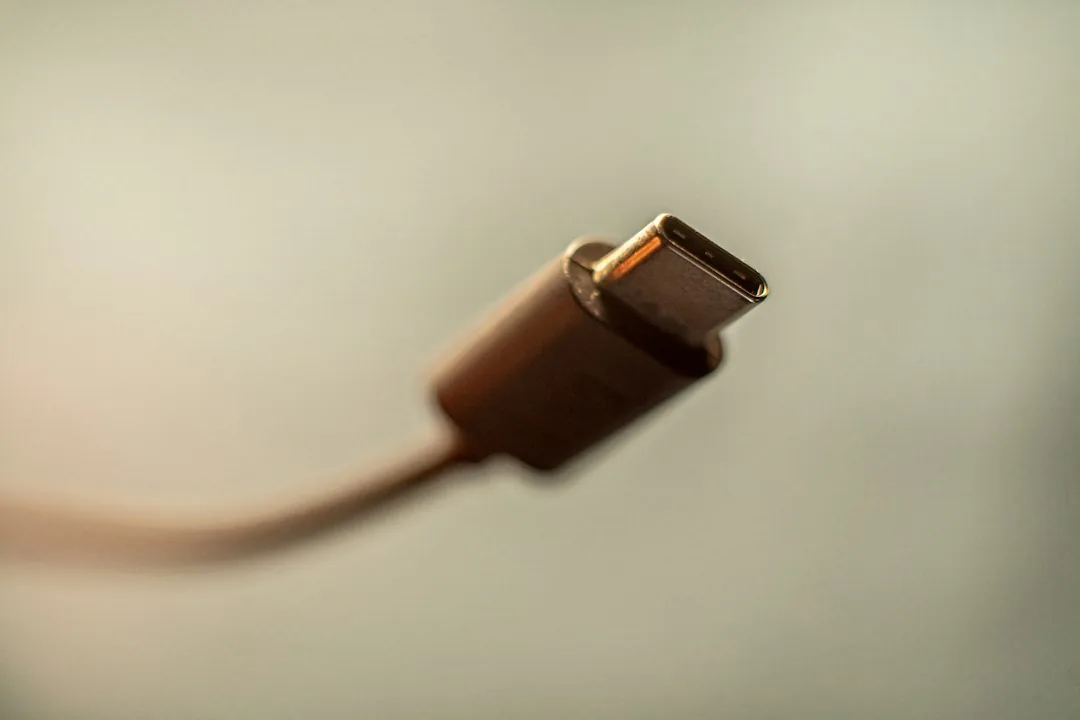
To clean a port effectively, it helps to understand what is inside it. Unlike older micro-USB ports that featured a fragile tongue in the center, the USB-C port houses a central rigid metal tongue surrounded by 24 delicate spring-loaded pins (12 on the top row, 12 on the bottom row). These pins handle power delivery (VBUS and GND), high-speed data lanes, and configuration channels (CC1 and CC2).
When lint enters the port, the insertion of a charging cable repeatedly compresses that lint against the back wall, compacting it into a dense felt-like plug. Because the pins line the interior walls and the central tongue, inserting metal objects like sewing needles, paperclips, or SIM-ejection tools can easily scratch the gold plating, bridge the circuits, or break off inside the cavity.
Tools You Will Need
Before beginning the cleaning process, gather the correct, non-conductive tools. Never use anything metal or wet.
- Wooden Toothpick: The ideal tool. Wood is softer than the metals and plastics inside the port, minimizing the risk of scratching.
- High-Intensity Flashlight or Headlamp: Crucial for illuminating the deep recess of the port.
- Magnifying Glass (Optional): Helps inspect the pins for stubborn residue.
- Compressed Air Canister (Use with Caution): If used, keep it upright and maintain a safe distance to prevent propellant liquid from spraying into the device.
- Isopropy Alcohol (99% concentration): Optional, for chemical cleaning if corrosion is present.
Step-by-Step Cleaning Procedure
- Power Off Your Device: Always shut down your smartphone completely before performing maintenance on internal electrical components to prevent accidental short circuits.
- Inspect the Port: Shine your flashlight directly into the USB-C port. Identify the location of the debris. Look closely at the central tongue and the gap surrounding it.
- Prepare Your Wooden Tool: Take your wooden toothpick. If the tip is too wide to fit freely into the channels alongside the central tongue, gently whittle or flatten the tip with a fine emery board or nail file until it is thin enough to slide in smoothly.
- Gently Scrape and Extract: Insert the flattened toothpick into the port. Angle it carefully toward the inner walls or underneath the central tongue where lint typically packs down. Gently scrape toward the opening to hook and pull the debris out. Never force the tool or twist it violently.
- Remove the Lint: As compacted dust loosens, use the toothpick to lift it out of the port. You may be surprised by how much fabric and pocket lint emerges.
- Perform a Final Inspection: Shine your flashlight into the port once more. All contacts should look clean, and the bottom of the cavity should be clearly visible.
What to Avoid When Cleaning Your Phone
To ensure you do not turn a minor maintenance task into a costly repair bill, keep these strict prohibitions in mind:
- No Metal Objects: Pins inside a USB-C port are microscopically thin. Metal tools will scratch or bend them instantly.
- No Liquids Directly in the Port: Unless you are using a tiny trace of 99% isopropyl alcohol on a cotton swab for localized corrosion, do not pour or spray liquids into the opening.
- No Excessive Force: If an obstruction refuses to budge, do not jam your tool harder. Take your time or consult a professional repair technician.
Frequently Asked Questions
How often should I clean my USB-C port?
Most users only need to clean their USB-C ports when charging issues arise, typically every 6 to 12 months. If you work in a dusty environment, trades, or frequently wear lint-producing clothing, you may need to inspect it more often.
Can I use compressed air to clean my USB-C charging port?
You can use compressed air, but with extreme caution. High-pressure air can force dust deeper into the device or damage the acoustic membranes of nearby microphones and speakers. Always use short, controlled bursts from a safe distance with the can held completely upright.
Why does my cable still feel loose after cleaning?
If the port is entirely free of lint and your cable still wobbles or falls out, the tiny retention springs inside the USB-C plug or port may have worn out over years of insertion cycles, or the cable’s latching mechanism is degraded. Try a different cable to isolate whether the issue lies in the phone or the accessory.
Conclusion
Maintaining a clean USB-C port takes only a few minutes and prevents unnecessary frustration and repair costs. By utilizing soft, non-conductive tools like wooden toothpicks and exercising patience, you can safely restore your phone’s charging efficiency. Have you tried clearing out your charging port lately? Share your experience in the comments below or subscribe for more hardware maintenance tips.
Recommended Mobile Gear for Battery & Storage
Tested accessories to protect battery lifespan, expand device storage, and charge reliably.

Anker 30W USB-C GaN Fast Charger
Dynamic PowerIQ 3.0 delivery. Charges iPhone and Android at high speeds while keeping temperatures low to preserve battery lifespan.
SanDisk Dual Drive USB-C Flash Drive (128GB/256GB)
High-speed dual USB-C/USB-A connector. Directly offload photos, 4K videos, and system cache to free up phone storage instantly.
Anker MagGo 10,000mAh Magnetic Power Bank
Ultra-slim Qi2 certified magnetic wireless charger with a smart display. Keep your smartphone charged throughout the day.
Anker Bio-Braided USB-C Cable (2-Pack, 240W)
Lab-tested for 20,000+ bends. Prevents voltage drops and erratic currents that slowly degrade smartphone charging ports.
Disclosure: BriteHacks is reader-supported. When you buy through links on our site or deploy infrastructure, we may earn an affiliate commission at no extra cost to you. As an Amazon Associate, we earn from qualifying purchases.