Modern smartphones are technological powerhouses, yet their chemical power sources remain governed by the relentless laws of electrochemistry. Lithium-ion (Li-ion) and lithium-polymer (Li-Po) batteries inevitably degrade over time as part of their standard operational lifecycle. However, understanding the underlying physics of these cells allows you to drastically slow down this deterioration. Implementing proven strategies on how to extend smartphone battery health lifespan ensures your device retains peak performance and all-day endurance for years.
The Electrochemistry of Li-Ion Degradation
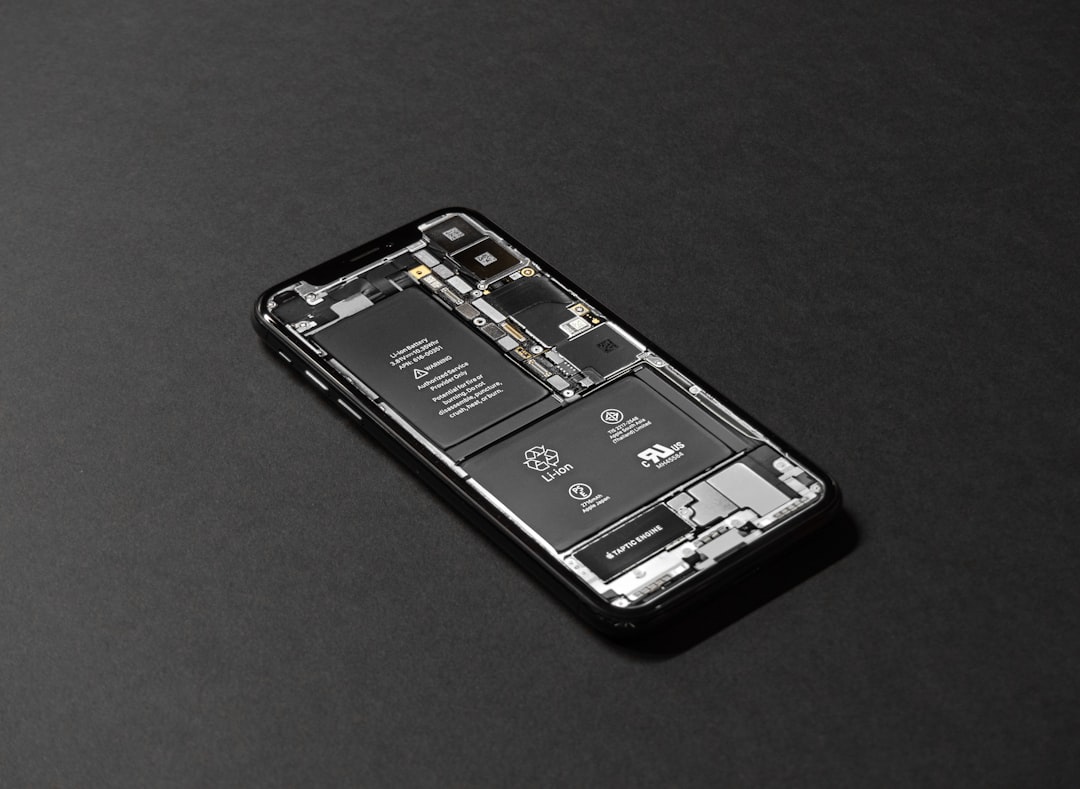
To understand why specific charging habits matter, you must first understand what happens inside a smartphone battery. During charging and discharging, lithium ions move back and forth between the anode (negative electrode) and the cathode (positive electrode) through an electrolyte solution. Over time, physical stress, extreme temperatures, and chemical reactions cause the active lithium ions to become trapped, reducing the overall capacity of the cell. Furthermore, the solid electrolyte interphase (SEI) layer on the anode thickens, increasing internal resistance and diminishing the battery’s ability to deliver high current.
8 Science-Backed Charging Habits to Preserve Battery Life
1. Avoid the 0% to 100% Trap
Extreme states of charge place the highest chemical stress on a lithium-ion battery. Charging your phone to 100% or letting it completely drain to 0% creates high voltage stress and accelerates capacity loss. Maintaining your battery within a tighter window significantly reduces wear.
2. Embrace the 20% to 80% Rule
The sweet spot for daily chemical preservation is keeping your battery charge level between 20% and 80%. Modern operating systems feature smart charging algorithms designed to mimic this practice by pausing charge delivery at 80% until you actually need the device.
3. Control Thermal Stress During Charging
Heat is the ultimate enemy of silicon-based batteries. Charging generates inherent warmth, but external heat exacerbates the problem. Always remove bulky protective cases when fast charging, and never leave your phone charging under direct sunlight, on a car dashboard, or under a pillow.
4. Disable Unnecessary Fast Charging When Not Needed
While ultra-fast charging technologies are convenient, pushing high current into a battery creates rapid temperature spikes. If you charge your phone overnight, switch to a standard or slow charger to keep operating temperatures low and protect the internal chemistry.
5. Never Leave Your Phone Plugged In at 100%
Leaving your smartphone plugged into a charger overnight while it sits at maximum capacity forces the battery to endure sustained high voltage stress. If you must charge overnight, utilize software-based slow charging or battery-protect limits that cap the charge at 80% or 85%.
6. Keep Your Software and Firmware Updated
Manufacturers constantly refine power management algorithms through software updates. These updates optimize how the power management integrated circuit (PMIC) draws energy, reducing background strain and mitigating unnecessary heat generation.
7. Avoid Using High-Drain Apps While Charging
Playing graphically intensive mobile games or rendering video while your phone is plugged in creates a compounding thermal loop. The processor generates heat, the battery generates heat from charging, and the combined temperature accelerates chemical breakdown.
8. Prepare Properly for Long-Term Storage
If you plan to store a smartphone for an extended period, never store it at 0% or 100% charge. Charge or discharge the device to approximately 50% capacity, power it completely off, and store it in a cool, moisture-free environment to prevent deep-discharge states.
Frequently Asked Questions
Does overnight charging ruin my smartphone battery?
Modern phones feature smart battery management systems that trickle-charge the device and stop current flow when full. However, keeping the battery at 100% voltage for hours every night does cause cumulative stress. Using optimized battery charging settings mitigates this issue.
Should I let my phone die completely before charging it?
No. That advice applies to older nickel-cadmium (NiCd) batteries which suffered from the memory effect. Modern lithium-ion batteries prefer partial, frequent charge cycles rather than deep discharges.
How do I check my current battery health?
Both Android and iOS feature native battery health diagnostics in the settings menu. On iOS, navigate to Settings > Battery > Battery Health & Charging. On Android, look for Battery Health in the device care or battery settings menu, or use specialized system monitoring software.
Conclusion
Adopting sustainable charging habits requires minimal effort but yields massive long-term dividends. By managing heat, avoiding extreme charge states, and practicing mindful power management, you can successfully extend smartphone battery health lifespan and delay the need for expensive hardware replacements. Start implementing these habits today to keep your device running at peak efficiency for years to come.
Recommended Mobile Gear for Battery & Storage
Tested accessories to protect battery lifespan, expand device storage, and charge reliably.

Anker 30W USB-C GaN Fast Charger
Dynamic PowerIQ 3.0 delivery. Charges iPhone and Android at high speeds while keeping temperatures low to preserve battery lifespan.
SanDisk Dual Drive USB-C Flash Drive (128GB/256GB)
High-speed dual USB-C/USB-A connector. Directly offload photos, 4K videos, and system cache to free up phone storage instantly.
Anker MagGo 10,000mAh Magnetic Power Bank
Ultra-slim Qi2 certified magnetic wireless charger with a smart display. Keep your smartphone charged throughout the day.
Anker Bio-Braided USB-C Cable (2-Pack, 240W)
Lab-tested for 20,000+ bends. Prevents voltage drops and erratic currents that slowly degrade smartphone charging ports.
Disclosure: BriteHacks is reader-supported. When you buy through links on our site or deploy infrastructure, we may earn an affiliate commission at no extra cost to you. As an Amazon Associate, we earn from qualifying purchases.