Building a robust virtualization environment no longer requires rack-mounted enterprise servers that consume massive amounts of power and generate deafening fan noise. Modern ultra-small form factor computers have evolved into powerhouse virtualization nodes. Finding the best mini pc for proxmox homelab deployments means balancing raw multi-core compute capability, high-speed networking, and thermal endurance under continuous 24/7 workloads.
Proxmox VE thrives on modularity, clustering, and efficient resource allocation. Whether you are spinning up lightweight Linux containers (LXC) or resource-heavy Windows virtual machines, your underlying hardware must support hardware-accelerated virtualization (Intel VT-x or AMD-V), abundant RAM expansion, and reliable NVMe storage speeds.
Key Hardware Requirements for a Proxmox Mini PC
Before selecting a specific machine, system architects and homelab enthusiasts must evaluate several critical bottlenecks unique to Type-1 hypervisors running on compact hardware.
1. Memory Capacity and Speed
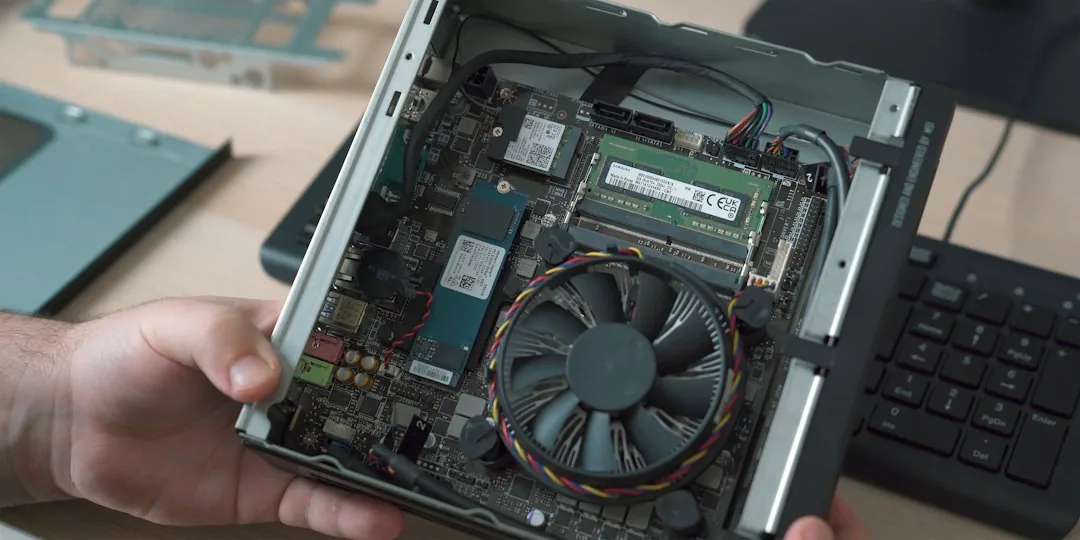
Virtualization is almost always memory-bound rather than CPU-bound in a typical homelab. Aim for a minimum of 32GB of DDR4 or DDR5 SO-DIMM RAM, with 64GB or more being the gold standard for running multiple virtual machines simultaneously. Always verify that the mini PC utilizes dual-channel memory configurations to maximize memory bandwidth for high-throughput database or container workloads.
2. Networking Capabilities
Proxmox clusters rely heavily on reliable, low-latency network communication for high availability (HA) and live migration. Look for mini PCs featuring dual Ethernet ports, ideally supporting 2.5 Gigabit (GbE) or higher standards. Brands that incorporate Intel network interface controllers (NICs) generally provide superior driver stability under Debian-based hypervisors compared to alternative chipsets.
3. Storage Subsystems
IOPS (Input/Output Operations Per Second) dictate how fast your virtual machines boot and respond. Modern mini PCs featuring dual M.2 NVMe slots allow you to configure software RAID-1 arrays for high availability and redundancy. Avoid machines restricted to a single 2.5-inch SATA drive bay unless used exclusively for bulk, non-critical backup storage.
⚡ BEST BUDGET HOMELAB SERVER
Tested in BriteHacks Lab
Beelink Mini S12 Pro Mini PC (Intel 12th N100)
The undisputed power-efficiency champion for 24/7 Docker, Home Assistant, and Proxmox.
- Consumes only 6W idle power for silent, cost-effective 24/7 operation
- 16GB DDR4 RAM + 500GB PCIe SSD expandable up to 2TB
- Hardware 4K AV1/HEVC transcoding ideal for Plex and Jellyfin media servers
Top Contenders Ranked for Virtualization
1. The Enterprise-Adjacent Option: ASUS Mini PC / Intel NUC Series
Long considered the benchmark for compact computing, enterprise-grade mini PCs offer unmatched BIOS stability, robust power delivery, and superior thermal engineering. Equipped with efficient mobile-class processors that dynamically scale down during idle periods, these systems keep electricity bills exceptionally low while delivering burst performance when compiling code or transcoding media.
- Pros: Exceptional driver compatibility with the Debian kernel, vPro support for out-of-band management, and highly reliable cooling solutions.
- Cons: Premium pricing compared to lesser-known white-label brands.
2. The Performance-to-Price Champion: AMD Ryzen Mini PCs (Beelink / Minisforum)
For sheer computational density per dollar, mini PCs powered by modern AMD Ryzen mobile processors dominate the landscape. With high core-and-thread counts packed into a 5-inch by 5-inch chassis, these machines effortlessly handle heavy workloads, media servers, and software-defined networking stacks like pfSense or OPNsense.
- Pros: Incredible multi-threaded performance, robust integrated graphics for hardware-accelerated transcoding, and competitive pricing.
- Cons: Realtek networking chips on certain budget models may require manual driver compilation or kernel updates on fresh Proxmox installs.
Optimizing Proxmox on a Mini PC Architecture
Once you procure your hardware, deploying Proxmox VE requires minor tuning to ensure longevity of your NVMe drives and optimal power management.
To prevent excessive write amplification on consumer-grade solid-state drives, adjust your VM swap behavior and log management. Additionally, enable CPU frequency scaling governors in the Proxmox host shell:
# Check current CPU scaling governor
cat /sys/devices/system/cpu/cpu*/cpufreq/scaling_governor

# Set performance or powersave based on your efficiency goals
echo "schedutil" | tee /sys/devices/system/cpu/cpu*/cpufreq/scaling_governor
Frequently Asked Questions
How much RAM do I actually need for a Proxmox homelab mini PC?
While 16GB serves as an absolute baseline, 32GB is the recommended starting point for a versatile lab. If you plan to host memory-intensive services like Kubernetes clusters, multiple Windows Server instances, or local AI inference models, opt for a machine that supports at least 64GB of RAM expansion.
Do mini PCs run too hot when used as 24/7 hypervisors?
Quality mini PCs utilize active cooling designs that efficiently exhaust heat away from the CPU, VRMs, and NVMe drives. As long as the chassis is placed in a well-ventilated area and dust filters are periodically cleaned, these systems run continuously for years without thermal throttling.
Is Wi-Fi acceptable for a Proxmox hypervisor node?
No. Type-1 hypervisors require stable, low-latency, hardwired connections. Wi-Fi modules integrated into mini PCs are generally unsupported out-of-the-box by the Proxmox installation kernel and lack the packet-handling reliability needed for clustering and virtual machine networking.
Conclusion
Investing in the right compact server transforms your home infrastructure without taking up physical space or inflating your utility budget. By prioritizing expandable memory, robust multi-core processors, and reliable wired networking, you can construct a resilient virtualization environment that scales alongside your technical ambitions. Evaluate your storage and memory expansion requirements today, select a battle-tested mini PC, and begin expanding your virtualization capabilities.
Recommended Hardware for This Setup
Tested, power-efficient gear curated for 24/7 home servers, Docker containers, and local labs.

Intel N100 Mini PC (16GB RAM, 500GB SSD)
Whisper-quiet, ultra-low 6W idle power. The undisputed favorite for 24/7 Docker, Jellyfin hardware transcoding, and Proxmox.
Raspberry Pi 5 (8GB Starter Kit)
Blazing quad-core ARM performance. Ideal for dedicated Pi-hole ad-blocking, WireGuard mesh nodes, and lightweight automation.
Crucial P3 Plus 1TB/2TB PCIe 4.0 NVMe
Up to 5000MB/s speeds. Essential for high-IOPS database operations, Docker container images, and snappy Nextcloud sync.
TP-Link 8-Port Gigabit Switch (TL-SG108)
Silent fanless steel housing, plug-and-play, traffic prioritization (QoS). Essential for wiring up your Home Server, NAS, and Pi with zero Wi-Fi lag.
Disclosure: BriteHacks is reader-supported. When you buy through links on our site or deploy infrastructure, we may earn an affiliate commission at no extra cost to you. As an Amazon Associate, we earn from qualifying purchases.