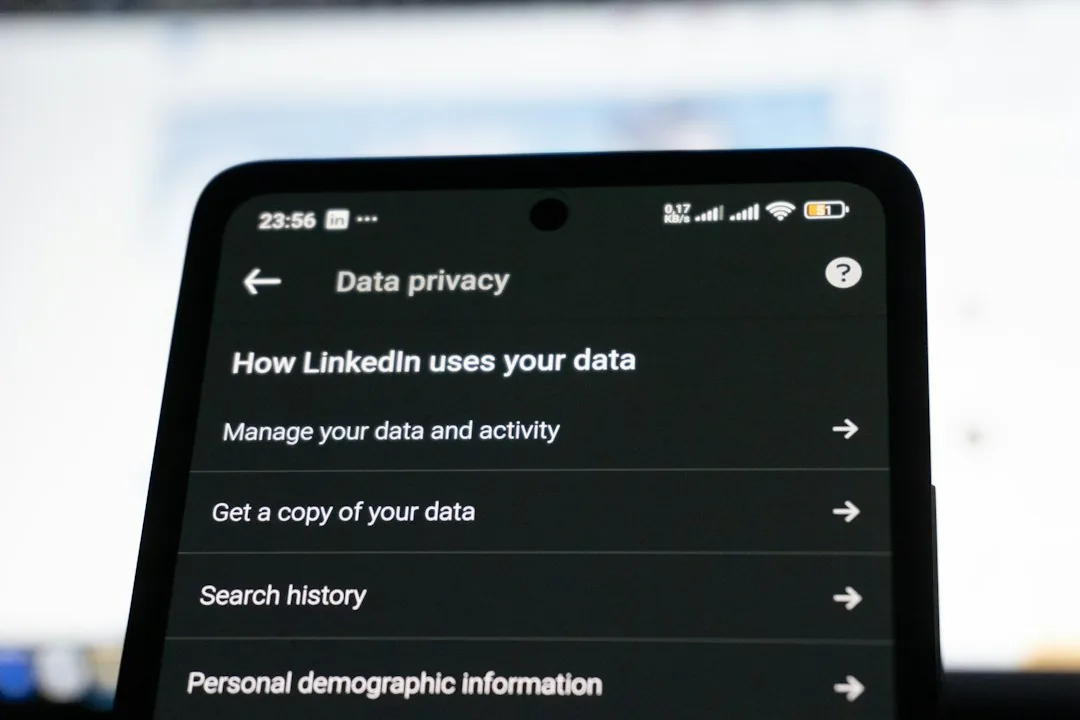
Every time you capture an image with a modern digital camera or smartphone, the resulting file contains far more than just pixels. Embedded silently within the binary structure of the file is a wealth of metadata known as EXIF data (Exchangeable Image File Format). While these hidden tags are invaluable for photographers organizing libraries or tracking camera settings, they pose a significant risk to personal security. When you share images online, you may inadvertently broadcast your exact GPS coordinates, device identifiers, and timestamp histories.
Understanding how to remove EXIF data privacy risks is an essential skill for anyone navigating the modern digital landscape. This guide explores the anatomy of image metadata, the security implications of leaving it intact, and actionable methods to strip it cleanly from your files across various operating systems.
What is EXIF Data and Why Does It Matter?
EXIF is a standardized specification that defines specific metadata tags for image and audio files. Introduced to help cameras record technical parameters, modern implementations capture a surprisingly intimate profile of the photographer and the environment:
- Geographic Coordinates: Precise GPS latitude, longitude, and altitude data indicating exactly where the shutter was clicked.
- Device Fingerprints: The exact smartphone or camera make, model, serial number, and firmware version.
- Temporal Data: Precise timestamps showing the exact second an image was captured.
- Technical Parameters: Shutter speed, aperture, ISO, focal length, and lens specifications.
From a privacy standpoint, the inclusion of GPS and device serial numbers is particularly dangerous. Malicious actors can extract geolocation data to track daily routines, identify home addresses, or correlate anonymous online posts with real-world identities. Consequently, sanitizing your media before publication is a critical operational security practice.
How to Remove EXIF Data on Different Platforms
Depending on your operating system or workflow, you can eliminate metadata using built-in operating system tools, third-party desktop utilities, or command-line scripting.
1. Native Operating System Removal
Both major desktop operating systems offer rudimentary ways to strip metadata without installing additional software.
- Windows: Right-click the image file, select Properties, and navigate to the Details tab. Click the blue link at the bottom that reads Remove Properties and Personal Information. You can choose to create a copy with all possible properties removed or selectively purge specific items.
- macOS: macOS features a native shortcut via the Preview application. Open the image, select Tools > Show Inspector (or press Option + Command + I), and navigate to the GPS tab if present. While Apple allows viewing, complete stripping natively often requires third-party tools or command-line execution for batch processing.
2. Command-Line Processing with ExifTool
For technical users and bulk operations, ExifTool by Phil Harvey is the industry-standard utility. It is a powerful platform-independent Perl library that reads, writes, and edits meta information in a wide variety of files.
To completely strip all metadata from an image or an entire directory of photos, use the following terminal command:
exiftool -all= /path/to/image_or_directory/By default, ExifTool preserves the original file by creating a backup with an appended _original extension. To permanently delete metadata without retaining backups, append the -overwrite_original flag:
exiftool -all= -overwrite_original /path/to/image.jpg3. Mobile Devices
Smartphones present unique challenges because they constantly inject location data by default. While iOS and Android allow you to toggle location permissions off for the camera app, previously captured photos retain their tags. Mobile privacy apps available in respective app stores can inspect and scrub metadata on the fly before sharing files to social media platforms.
Best Practices for Image Sharing
Relying solely on manual removal can lead to human error. Implement these foundational habits to protect your digital footprint:
- Disable Location Services for the Camera: Navigate to your smartphone privacy settings and revoke location access for the native camera application.
- Use Privacy-First Platforms: Many modern messaging apps and social networks automatically strip EXIF data upon upload. However, never rely on third-party platforms as your primary privacy firewall; always scrub files locally before public distribution.
- Automate Your Workflow: Integrate a stripping script into your publishing pipeline if you regularly upload photography to blogs or portfolios.
Frequently Asked Questions
Frequently Asked Questions
Does compressing or resizing an image remove EXIF data?
Not necessarily. While some web-based compressors and social media platforms strip metadata during processing, standard compression tools or basic image resizing often preserve the underlying EXIF blocks. Always verify the file explicitly rather than assuming compression acts as a privacy filter.
Do screenshots contain EXIF data?
Standard screenshots typically do not contain GPS coordinates or camera hardware details, but they may store creation timestamps and operating system version metadata. It is still a good practice to sanitize screenshots containing sensitive workspace details.
Can EXIF data be recovered after it is deleted?
When you use tools like ExifTool to overwrite or strip EXIF blocks, the metadata is permanently purged from the file structure. However, if the operating system created a backup file during the process, the original metadata will persist inside that backup file until it is securely deleted.
Protecting your digital privacy requires diligence across every layer of your workflow. By adopting a routine to strip EXIF data before publishing media online, you neutralize a major vector for unintended location tracking and device fingerprinting. Start implementing automated metadata scrubbing today to keep your visual footprint secure.
Recommended Hardware for Security & Privacy
Zero-trust physical keys, encrypted offline storage, and privacy shields recommended by IT pros.

YubiKey 5 NFC Hardware Security Key
FIDO2 and WebAuthn certified. Provides unbreakable phishing-proof two-factor authentication for password managers and cloud accounts.
Apricorn / Kingston Encrypted USB Flash Drive
Hardware-based AES-256 encryption with physical keypad PIN. Keeps your password database and private keys physically secure.
Ultra-Thin Webcam Privacy Cover Sliders (6-Pack)
Micro 0.027-inch sliding shutter. Mechanically prevents camera snooping and accidental video leaks on laptops and monitors.
Mission Darkness Faraday Signal Blocking Bag
Military-grade RF shielding. Instantly blocks cellular 5G, GPS tracking, Wi-Fi, Bluetooth, and RFID signals from your phone.
Disclosure: BriteHacks is reader-supported. When you buy through links on our site or deploy infrastructure, we may earn an affiliate commission at no extra cost to you. As an Amazon Associate, we earn from qualifying purchases.