In an era where data privacy is paramount, sending sensitive enterprise documentation or personal files to third-party cloud-hosted Large Language Models (LLMs) introduces significant compliance and security risks. To overcome this, engineers and privacy advocates turn to Retrieval-Augmented Generation (RAG) powered entirely by local infrastructure. By combining the local orchestration capabilities of Ollama with vector databases and embedding models, you can query your private document repository using natural language without a single byte leaving your local network.
Understanding the Local RAG Architecture
A RAG system bridges the gap between a frozen pre-trained LLM and your dynamic, proprietary dataset. Instead of retraining or fine-tuning the model—which is computationally prohibitive and inflexible—RAG dynamically injects relevant context directly into the prompt.
The local RAG pipeline operates through three distinct phases:
- Ingestion and Chunking: Raw documents (PDFs, Markdown, text files) are parsed and split into manageable, overlapping text chunks.
- Vector Embedding: Each chunk is passed through an embedding model to convert semantic meaning into high-dimensional numerical vectors. These vectors are stored in a local vector database.
- Retrieval and Generation: When a user submits a query, the system vectorizes the query, performs a similarity search against the database, and retrieves the most relevant context chunks. These chunks are appended to the user prompt and sent to Ollama to generate a grounded, accurate response.
Prerequisites and System Requirements
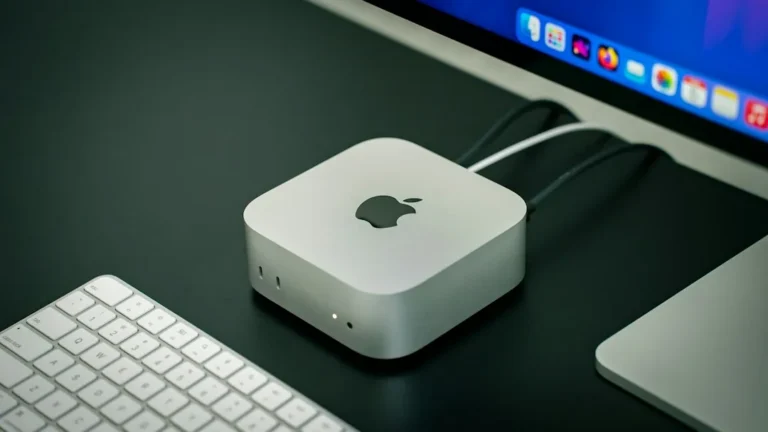
Before implementing your local RAG stack, ensure your hardware meets the minimum thresholds for running modern LLMs locally. While CPU inference is possible, a dedicated GPU with adequate VRAM drastically accelerates embedding generation and token inference.
- Operating System: Linux (Ubuntu/Debian recommended), macOS (Apple Silicon M-series), or Windows via WSL2.
- Hardware: 16GB RAM minimum (32GB+ recommended); a dedicated GPU (NVIDIA with CUDA support or Apple Silicon Unified Memory).
- Software: Python 3.10 or higher, pip, and Git.
Step 1: Installing and Configuring Ollama
Ollama acts as your local runtime engine, allowing you to manage and execute open-weights models like Llama 3 or Mistral with minimal configuration overhead.
First, install Ollama on your system using the official installation script:
curl -fsSL https://ollama.com/install.sh | shVerify that the service is running and pull your preferred embedding and chat models. For this tutorial, we will use nomic-embed-text for generating vector embeddings and llama3 for natural language generation:
ollama pull nomic-embed-text
ollama pull llama3
Step 2: Setting Up the Python Environment and Dependencies
Next, establish a dedicated Python virtual environment to manage dependencies for your ingestion and query pipeline. We will use LangChain alongside ChromaDB as our local vector database.
mkdir local-rag-kb
cd local-rag-kb
python3 -m venv venv
source venv/bin/activate
pip install langchain langchain-community chromadb sentence-transformers ollama
Step 3: Ingesting Documents and Building the Vector Store
Create a python script named ingest.py to read documents from a local directory, chunk them effectively, and persist them into ChromaDB using Ollama’s embedding models.
from langchain_community.document_loaders import DirectoryLoader, TextLoader
from langchain_text_splitters import RecursiveCharacterTextSplitter
from langchain_community.embeddings import OllamaEmbeddings
from langchain_community.vectorstores import Chroma

# Load documents from a 'data' folder
loader = DirectoryLoader('./data', glob="**/*.txt", loader_cls=TextLoader)
documents = loader.load()

# Split documents into overlapping chunks
text_splitter = RecursiveCharacterTextSplitter(chunk_size=500, chunk_overlap=50)
chunks = text_splitter.split_documents(documents)

# Initialize local Ollama embeddings
embeddings = OllamaEmbeddings(model="nomic-embed-text")

# Create and persist the vector database
vector_store = Chroma.from_documents(
    documents=chunks,
    embedding=embeddings,
    persist_directory="./chroma_db"
)

print(f"Successfully ingested {len(chunks)} chunks into local vector store.")
Step 4: Querying Your Knowledge Base Locally
With your documents indexed, create a second script named query.py to execute similarity searches and synthesize answers using Ollama’s local generation engine.
from langchain_community.embeddings import OllamaEmbeddings
from langchain_community.vectorstores import Chroma
from langchain_community.llms import Ollama
from langchain.chains import RetrievalQA

# Load the persisted vector store
embeddings = OllamaEmbeddings(model="nomic-embed-text")
vector_store = Chroma(persist_directory="./chroma_db", embedding_function=embeddings)

# Initialize the local Ollama LLM
llm = Ollama(model="llama3")

# Create a Retrieval QA chain
qa_chain = RetrievalQA.from_chain_type(
    llm=llm,
    chain_type="stuff",
    retriever=vector_store.as_retriever(search_kwargs={"k": 3})
)

# Execute a query
query = "What are our internal security compliance policies for data retention?"
response = qa_chain.run(query)

print("\n--- AI Response ---\n")
print(response)
Frequently Asked Questions
Can I run this local RAG setup entirely offline?
Yes. Once you have downloaded Ollama and pulled your required models (such as llama3 and nomic-embed-text), the entire pipeline operates without requiring an active internet connection. All data processing, embedding generation, and token inference happen locally on your hardware.
How do I update my knowledge base when new documents arrive?
To update your knowledge base, simply drop new files into your designated data directory and re-run your ingestion script. Modern vector databases like ChromaDB can handle incremental updates, though appending new documents or rebuilding the index takes minimal time for standard document repositories.
What hardware specs are recommended for optimal token generation speeds?
For smooth generation speeds (tokens per second), an Apple Silicon Mac (M1/M2/M3/M4) with at least 16GB or 32GB of unified memory is exceptional. On Linux or Windows, an NVIDIA GPU with 12GB+ of VRAM (such as an RTX 3060/4070 or better) running CUDA drivers will ensure rapid local inference.
Conclusion and Next Steps
Building a private AI knowledge base with local RAG and Ollama gives you absolute sovereignty over your organizational data. You gain the conversational power of modern generative AI without exposing proprietary trade secrets or sensitive documents to external APIs. To expand this setup, consider containerizing your workflow with Docker Compose, implementing a web frontend like Open WebUI, or integrating more advanced chunking algorithms for complex PDF layouts.
Ready to secure your data pipeline? Deploy your first local knowledge base today and experience complete privacy combined with state-of-the-art AI utility.
Recommended Hardware for This Setup
Tested, power-efficient gear curated for 24/7 home servers, Docker containers, and local labs.

Intel N100 Mini PC (16GB RAM, 500GB SSD)
Whisper-quiet, ultra-low 6W idle power. The undisputed favorite for 24/7 Docker, Jellyfin hardware transcoding, and Proxmox.
Raspberry Pi 5 (8GB Starter Kit)
Blazing quad-core ARM performance. Ideal for dedicated Pi-hole ad-blocking, WireGuard mesh nodes, and lightweight automation.
Crucial P3 Plus 1TB/2TB PCIe 4.0 NVMe
Up to 5000MB/s speeds. Essential for high-IOPS database operations, Docker container images, and snappy Nextcloud sync.
TP-Link 8-Port Gigabit Switch (TL-SG108)
Silent fanless steel housing, plug-and-play, traffic prioritization (QoS). Essential for wiring up your Home Server, NAS, and Pi with zero Wi-Fi lag.
Disclosure: BriteHacks is reader-supported. When you buy through links on our site or deploy infrastructure, we may earn an affiliate commission at no extra cost to you. As an Amazon Associate, we earn from qualifying purchases.